
Touch Typing for Dyslexia and Dysgraphia: Adaptive Tools & Techniques
How kinesthetic muscle memory, multi-sensory feedback, and ergonomic keyboards liberate students and adults from written expression barriers.
Educational Note
This guide provides educational strategies and adaptive keyboarding methods. It is not formal medical or diagnostic advice. Individual learning plans, typing accommodations, and assistive technology assessments should be tailored with qualified educators, occupational therapists, or learning specialists.
Cognitive Bandwidth Support
When a student with dysgraphia writes by hand, a significant portion of their conscious working memory can be consumed by the mechanical chore of gripping the pen, sizing letters, and staying on the line. By developing fluent touch typing, cognitive load is substantially reduced, freeing mental energy for vocabulary, storytelling, and complex reasoning.
Multi-sensory learning
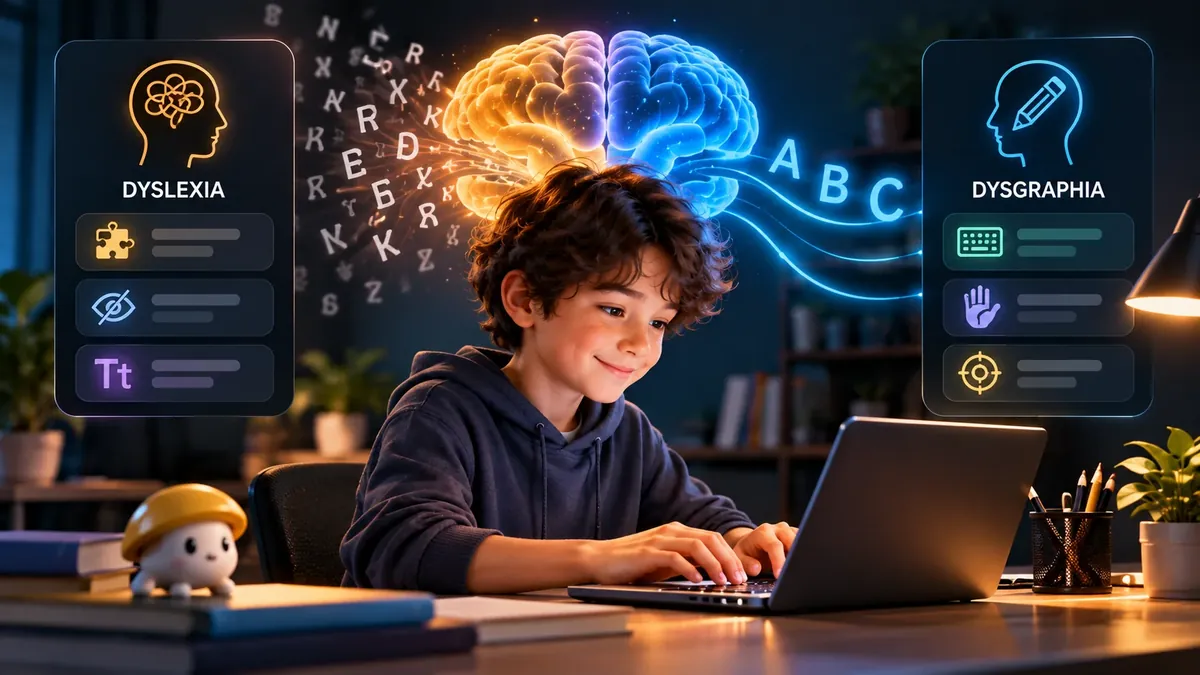
For decades, traditional education equated intelligence with penmanship. Children who struggled with letter reversals, poor pencil grip, or slow handwriting were often unfairly labeled as unfocused or careless.
Today, neurological research confirms that dyslexia (a phonological processing difference) and dysgraphia (a fine-motor planning impairment) are specific cognitive variations that can be dramatically aided through assistive technology. Among all assistive tools, touch typing is widely recognized by educational psychologists as the single most transformative life skill.
The neurological shift: From visual decoding to muscle memory
Why does touch typing succeed where handwriting struggles? The answer lies in the motor cortex:
- Eliminating Spatial Letter Inversion: On paper, the letters
b,d,p, andqare identical shapes rotated or flipped across a horizontal or vertical axis. A dyslexic brain frequently misinterprets these 2D rotations. On a keyboard, however:Bis struck by the left index finger reaching low-right.Dis struck by the left middle finger resting on the home row.Pis struck by the right pinky finger reaching top-right.Qis struck by the left pinky reaching top-left.
- Phonics as Rhythmic Motor Chunks: Spelled words become rhythmic finger patterns—similar to chords on a piano. A student doesn't have to consciously sound out every letter; their fingers execute the motor burst automatically.
Adaptive solutions for core learning challenges
Letter Reversals (b vs d, p vs q)
Neurological Root: Visual disorientation where symmetric letterforms are confused in 2D space.
💡 How Touch Typing Solves It:
On a keyboard, 'B' is pressed exclusively by the left index finger reaching down, while 'D' is pressed by the left middle finger resting on the home row. Physical spatial separation helps decouple motor memory from visual symmetry.
Hand Cramping & Motor Fatigue (Dysgraphia)
Neurological Root: Fine motor graphomotor dysfunction; clutching writing utensils with excessive grip force.
💡 How Touch Typing Solves It:
Touch typing distributes physical work across all 10 fingers. A light tactile mechanical switch requires only 45 grams of force, eliminating palm fatigue.
Phonological Processing Delays
Neurological Root: Difficulty breaking spoken words down into discrete phonemes and recalling letter orders.
💡 How Touch Typing Solves It:
Multi-sensory typing pairs sight, tactile keystrokes, and auditory screen feedback. Drilling rhyming word families (cat, sat, mat) builds rhythmic motor memory.
Working Memory Exhaustion
Neurological Root: Devoting 80% of mental capacity just to physical letter formation, leaving no room for ideas.
💡 How Touch Typing Solves It:
Once touch typing reaches the autonomous stage, fingers type thoughts automatically. Cognitive bandwidth is freed entirely for vocabulary, grammar, and creative expression.
Hardware, fonts & environmental adaptations
Small adjustments to the typing environment can remove sensory overload:
- Tactile Mechanical Switches: Light tactile switches (like Cherry MX Brown or Gazzew Boba U4T) give a satisfying physical click-feel at the moment of activation, providing immediate tactile confirmation that does not rely on visual checking. See our guide on best keyboard switches for typing.
- Color-Coded Visual Guides: For beginners, using subtle pastel stickers or a color-coded finger zone map helps anchor which finger belongs to which column without visual clutter.
- Dyslexia-Friendly Fonts: Switching browser or word-processor defaults to specialized typefaces like OpenDyslexic or heavy-bottomed sans-serifs (such as Lexend, Comic Sans, or Trebuchet MS) prevents letter crowding and reduces visual dancing.
- Text-to-Speech (TTS) Readback: Enable software that automatically reads typed sentences aloud upon hitting the period or Enter key. Auditory feedback instantly catches typos that eyes might skip over.
A gentle, low-stress learning progression
Standard commercial typing tutors often induce intense anxiety by flashing red error screens and blaring countdown buzzers. To build lasting confidence:
- Ban Speed Competitions: Never time a dyslexic learner during early stages. Speed is an outcome, not an input.
- Start with the Home Row: Spend the first two weeks exclusively on the resting home row keys (A-S-D-F and J-K-L-;). Use our structured touch typing lessons to build solid anchors.
- Focus on High-Frequency Phonics: Practice words that share common consonant-vowel-consonant (CVC) patterns (“hat, cat, bat, mat”). This reinforces both literacy reading skills and typing fluency simultaneously.
- Short, Positive Sessions: Limit practice to 10 to 15 minutes per day. Once mental fatigue sets in, motor learning ceases and frustration takes over.
FAQ
Why is touch typing often recommended for children with dyslexia?
Touch typing bypasses visual letter confusion by anchoring spelling into physical motor memory. When a child learns to touch-type, spelling becomes a rhythmic physical pattern (like playing an instrument) rather than a visual guessing game. Furthermore, built-in spellcheck and word prediction reduce anxiety around written schoolwork.
Can touch typing help with dysgraphia?
Yes, dramatically. Dysgraphia makes the physical mechanics of handwriting painful and laborious. Touch typing replaces handwriting with effortless downward taps, eliminating hand cramps, messy erasing, and the frustration of illegible assignments.
What age should a child with dyslexia start learning to touch-type?
Most pediatric occupational therapists recommend starting around ages 7 to 9, when a child's hands are physically large enough to reach keys comfortably across a standard keyboard and they can understand the concept of home-row finger zones.
Should speed (WPM) be emphasized when teaching neurodivergent learners?
No. Emphasizing WPM creates anxiety and triggers panic mistakes. Instruction should focus 100% on finger accuracy, consistent rhythm, and muscle memory. Once comfortable finger paths are established, speed naturally develops without stress.
Sources & references
- British Dyslexia Association (BDA) — Touch-Typing for Dyslexic Learners and Assistive Technology
- International Dyslexia Association (IDA) — Dysgraphia: Definition, Symptoms, and Accommodations
- Journal of Special Education Technology — The Efficacy of Touch-Typing Interventions for Students with Specific Learning Difficulties
Last updated 2026-09-26.