
Why Your WPM Is High but Your Accuracy Is Low
The clinical diagnosis for fast typists stuck in the speed-first trap—and how to rewire motor pacing.
Core reality
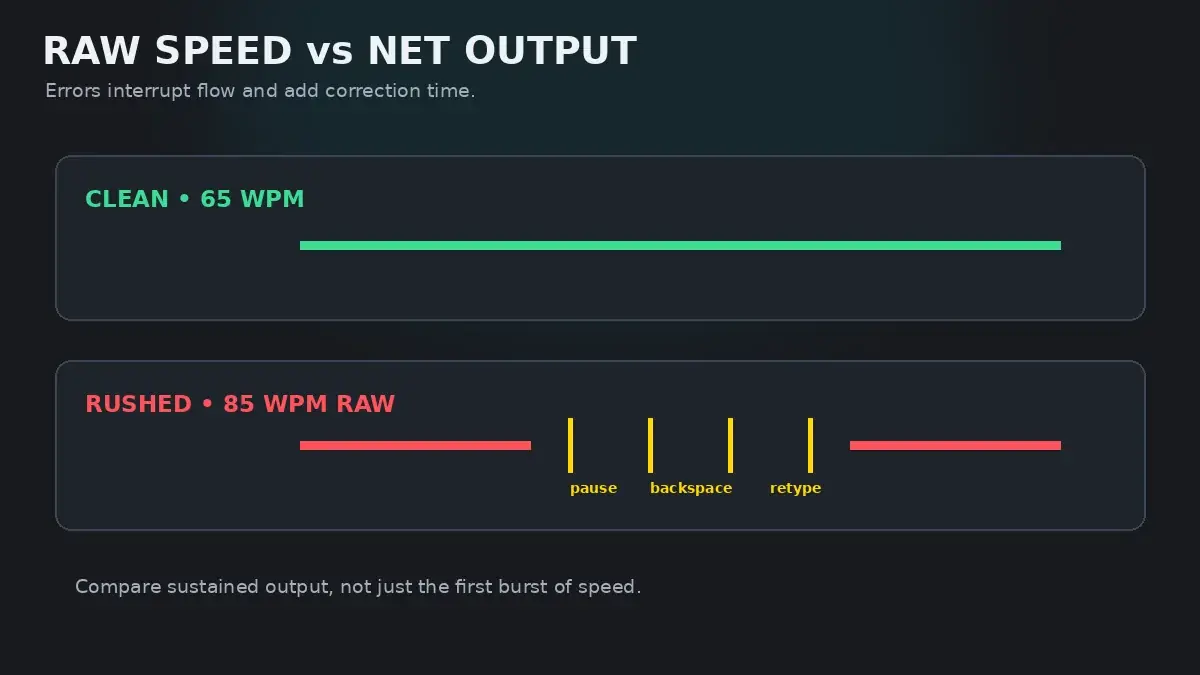
Typing at 85 WPM with 89% accuracy is not 85 WPM. In the real world—where backspacing, rewriting, and typo correction exist—your net productive throughput is under 55 WPM. Speed without accuracy is pure illusion.
The Speed-First Trap Explained
It is one of the most frustrating milestones in touch typing: you have spent months practicing, your fingers move like lightning, and your raw typing test speedometer flashes 85 or 90 WPM. Yet when the test ends, your accuracy report reads a dismal 88%, and your Net WPM drops like a stone.
You have fallen into the Speed-First Trap.
In motor skill learning, speed and accuracy are governed by separate neurological processes. Speed is a function of motor firing rate—how rapidly your nervous system discharges electrical pulses to forearm tendons. Accuracy, by contrast, is a function of spatial precision and inhibitory control—the brain's ability to hold back a finger until it is directly over the center of the keycap.
When you push speed before spatial precision is 100% automated, you train your brain to execute sloppy, approximate reaches. Worse, you habituate your fingers to make mistakes, creating permanent neural scar tissue that locks in low accuracy.
The Hidden Backspace Math: Why Errors Destroy Speed
Most typists drastically underestimate the time cost of a typo. They assume an error costs a fraction of a second: "I just hit backspace real quick and keep going."
Cognitive research proves this assumption completely wrong. Here is what actually happens every time your finger misses a key:
| Phase of an Error | Cognitive & Motor Time Cost | Physical Keystroke Penalty | What Actually Happens |
|---|---|---|---|
| 1. Error Generation | 0 ms (instant) | 1 wrong keystroke registered | The incorrect letter is committed to the buffer. |
| 2. Visual Error Recognition | 150–250 ms | 1–2 overrun keystrokes typed before stopping | Because your fingers are rushing ahead, you type 2 extra letters before your brain perceives the error. |
| 3. Backspace Activation | 200–350 ms | 2–4 rapid Backspace key strikes | Right pinky must leave home row, mash Backspace multiple times, and reverse the buffer. |
| 4. Corrective Retyping | 250–400 ms | 2–3 retyped characters | Re-reading the target word and re-striking the correct keys from a broken rhythm. |
| TOTAL CUMULATIVE PENALTY | 600–1,000 ms (Up to 1 full second) | 5–9 wasted keystrokes per error | A typist making 5 errors in a 1-minute test loses up to 5 full seconds of active typing time. |
Every single error costs between 600 and 1,000 milliseconds. If you make 6 mistakes during a 60-second test, you throw away up to 6 full seconds of typing time—erasing 10 to 15 Net WPM from your score!
The 96% Accuracy Law
In typing education, the 96% Accuracy Law states:
"Any practice session conducted below 96% accuracy reinforces errors faster than it builds skill."
When you practice with 90% accuracy, one out of every ten keystrokes is wrong. You are literally spending 10% of your training time wiring the wrong motor trajectories into your cerebral cortex.
If your accuracy is consistently below 95%, you must stop attempting speed runs immediately. Speed will never fix accuracy; only deliberate, rhythmic pacing can fix accuracy.
The 7-Day Motor Pacing Reset Protocol
To permanently break out of the speed-first trap and achieve high accuracy at speed, follow this 7-day protocol:
- Apply a 20 WPM Speed Cap: If your chaotic peak speed is 80 WPM, set an absolute personal ceiling of 60 WPM. Treat exceeding 65 WPM as a failure of discipline.
- Adopt Metronomic Cadence: Type to a steady, rhythmic beat (about 120–130 BPM). Every letter, space, and punctuation mark must land on a uniform tick. Zero rushing on easy words; zero stalling on hard words.
- Zero Panic Backspacing: When an error occurs, pause for one full breath. Do not mash the Backspace key repeatedly. Strike Backspace once, cleanly, and re-type the character deliberately.
- Enforce 98% Session Ceilings: If any test or drill finishes below 97% accuracy, drop your speed cap by another 5 WPM for the next run.
How HeroTyping Enforces Accuracy
Unlike casual typing sites that allow you to mash keys and still claim 80 WPM, HeroTyping is built around rigorous accuracy standards:
- Net WPM Parity: On the HeroTyping Speed Test, uncorrected errors and missed characters directly subtract from your score, showing you the true cost of typos.
- Accuracy-Gated Lessons: In HeroTyping Lessons, every module imposes strict accuracy thresholds (typically 90% to 95%). You cannot advance to the next lesson through speed alone; you must demonstrate clean technique.
- Automated Weak-Key Tracking: If your errors cluster on specific letters, visit the HeroTyping Weak-Key Practice Tool to drill those problem keys until accuracy stabilizes above 95%.
FAQ
Why does typing fast feel easier than typing accurately?
Typing fast without accuracy relies on unchecked ballistic momentum: you throw your hands at the keyboard without verifying finger trajectories. Typing with 98%+ accuracy requires continuous sensorimotor monitoring and inhibitory motor control—actively suppressing finger twitches until the correct key coordinate is ready. Inhibitory control requires more mental effort, which is why sloppy speed feels 'easier.'
What is the minimum acceptable accuracy for real-world typing?
In professional office, medical, and programming environments, 97% to 98% is the baseline threshold. Anything below 95% indicates serious productivity loss due to constant editing. In competitive typing, scores below 95% are heavily penalized under Net WPM formulas.
Should I disable the Backspace key during practice?
Practicing in 'Master Mode' or disabling backspacing occasionally is a powerful diagnostic tool. It forces you to feel the true consequence of every mistake and stops the habit of panic-spamming Backspace. However, once pacing is corrected, re-enable Backspace to practice clean, single-tap error correction.
How long does it take to fix a low-accuracy habit?
If you commit to typing 15 to 20 WPM below your peak speed for 7 to 10 days, your accuracy will climb from 88% to 98%. Once accuracy stabilizes at 98%, your speed will naturally climb back to its previous peak—this time with zero errors.
Sources & references
- The Cost of Error Correction in High-Speed Transcription Typing — Rabbitt, P. (Ergonomics, 1980)
- Speed-Accuracy Tradeoff and Inhibitory Motor Control in Skill Acquisition — Wickelgren, W. A. (Acta Psychologica, 1977)
- Cognitive Load and Motor Overflow in Skilled Typists — Crump, M. J., & Logan, G. D. (Journal of Experimental Psychology: Learning, Memory, and Cognition, 2010)