
Typing for Programmers: Master Symbols, Vim Keys & Velocity
Braces, brackets, logic operators, and modal navigation: how software engineers eliminate keyboard friction and stay locked in flow state.
Flow State Protection
The real reason software engineers should care about typing speed is not outputting more lines of boilerplate code per day. It is cognitive flow preservation. When you have to pause for two seconds, look down at your hands, and hunt for a closing bracket } or backtick `, the complex mental model of your algorithm slips out of working memory.
Developer workstation & symbols
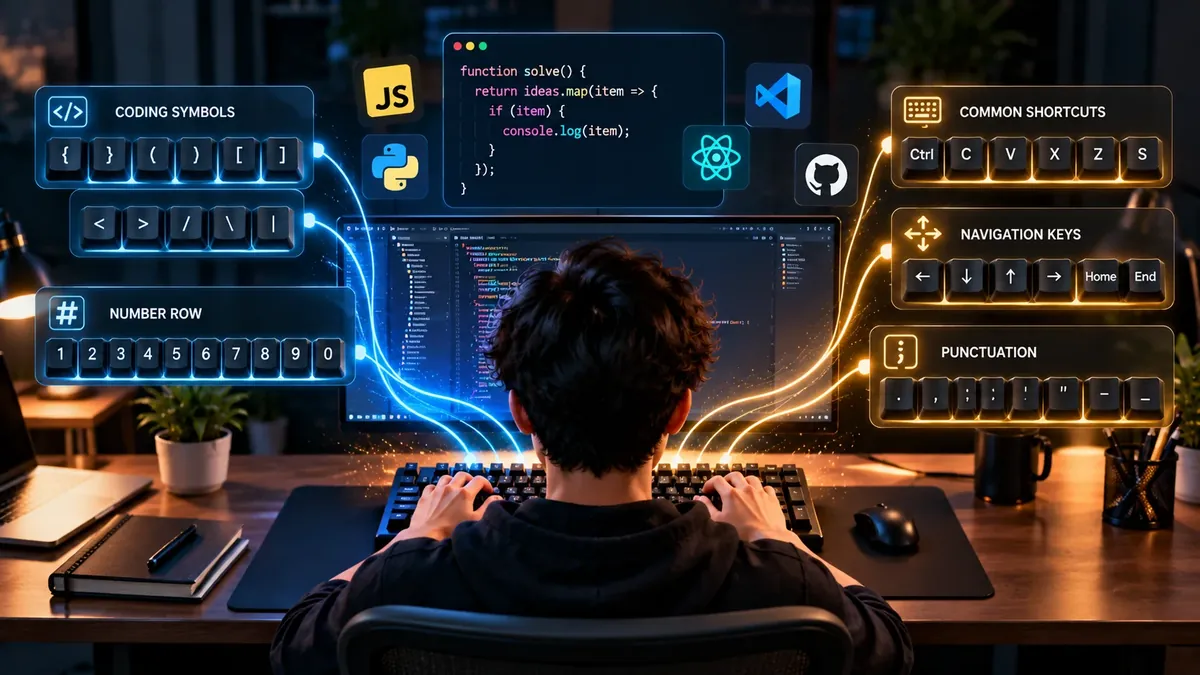
Ask an engineer how fast they type, and they will likely shrug and reply: “Thinking takes longer than typing.” While true, this common engineering dismissal confuses the creative phase with the transcription phase.
In a large software project, your velocity is directly gated by your fluency with your editor. If your fingers hesitate over symbols, syntax brackets, or file navigation commands, you waste mental energy that should be dedicated to architecture and logic.
The real developer bottleneck: Code vs. prose
Standard touch-typing tests evaluate continuous English sentences with uniform letter distributions. Code is fundamentally different:
- Extreme Punctuation Density: In standard prose, punctuation accounts for under 3% of characters. In JavaScript, TypeScript, C++, or Rust, symbols (
{},[],(),;,=,>,|) comprise 15% to 25% of all keystrokes. - Case Switching: Languages demand constant transitions between camelCase, PascalCase, UPPER_CASE, and kebab-case, requiring rapid, precise Shift-key choreography.
- Navigation Dominance: Professional developers spend up to 50% of their editor time moving the cursor: jumping between functions, traversing AST nodes, jumping to definitions, and refactoring parameter blocks.
Programming symbol finger mapping
Most typists hunt-and-peck for code symbols with their index finger. To make them instantaneous, integrate these dedicated finger assignments into your muscle memory:
{ } and [ ] (Brackets & Braces)Right PinkyTuck the right pinky upward past the Enter key while anchoring the right index on 'J'. For curly braces, hold the Left Shift key with the left pinky rather than trying to contort the right hand.
( ) (Parentheses)Right Ring & PinkyReach up to 9 and 0 using Left Shift. Many developers map space-cadet shifts (tap for parenthesis, hold for shift) on programmable keyboards.
=> and -> (Arrow Operators)Right Ring / Pinky to Middle / IndexDrill the fluid two-stroke combination: = followed by > without lifting your resting palm.
; and : (Semicolon & Colon)Right Pinky (Home Row)The semicolon is already on the right home row. To fire the colon, hit Left Shift with your left pinky while dropping the right pinky down onto the home position.
&& and || (Logical Operators)Right Index (7) & Right Pinky (Backslash)Master the diagonal reach of the right index finger up to 7 for ampersand, and the far-right upper corner for pipe.
Vim motions & navigation velocity: Why 60 WPM beats 120 WPM
A developer who types 120 WPM on prose but reaches for a mouse every 10 seconds to highlight a word is slower than an 80 WPM developer using modal editing (Vim motions in VS Code, Neovim, or JetBrains).
Essential Vim motions that save thousands of clicks daily:
ci"(Change inside quotes): Instantly deletes everything between quotation marks and puts you in insert mode.da{(Delete around braces): Deletes an entire function block, including its outer brackets.f(andt;: Jump directly to the next opening parenthesis or semicolon on the current line without holding down the arrow key.%: Instantly bounce between matching opening and closing braces or tags.
The single greatest quick fix: Caps Lock to Control / Escape
Look down at your keyboard. The Caps Lock key occupies the most valuable real estate on the entire left hand—directly beneath your left pinky on the home row. Yet how often do you intentionally write in all-caps?
Meanwhile, the Control and Escape keys—the two most crucial navigation keys in IDEs and command-line terminals—are exiled to the far outer corners, forcing repetitive pinky contortions (colloquially known as “Emacs pinky”).
The Solution: Remap Caps Lock to:
- Control: When held down with other keys (for Ctrl+C, Ctrl+V, Ctrl+P, Ctrl+R).
- Escape: When tapped once alone (instantly dropping back into normal mode in Vim or closing modals).
You can configure this in five minutes using native OS utilities (macOS Modifier Keys menu, Linux setxkbmap -option caps:escape, or Windows PowerToys Keyboard Manager).
Programmable split keyboards: Moving symbols to thumb layers
If you want to reach the ultimate frontier of developer ergonomics, consider an ortholinear or split programmable keyboard (e.g. ZSA Moonlander, Glove80, or Corne).
Using firmware like QMK, ZMK, or VIA:
- Your strong thumbs—which only ever hit the Spacebar on normal keyboards—now manage 4 to 6 keys each.
- Holding your left thumb down activates a Symbol Layer, transforming your home-row keys into numbers and brackets right beneath your resting fingertips without reaching.
- Your hands never leave the home row, eliminating 90% of finger travel and pinky strain.
Once your key mappings are locked in, test your execution speed on our typing tests or drill foundational finger coordination in our touch typing lessons.
FAQ
Does typing speed actually matter for software developers?
Yes, but not for raw typing volume. Most of a programmer's day is spent reading and thinking. However, when you have a solution crystal clear in your mind, high typing velocity and flawless symbol execution prevent your hands from being a bottleneck, keeping you immersed in flow state.
Why do programmers score lower on standard typing tests?
Standard tests measure continuous English prose. Code consists of irregular camelCase naming, snake_case underscores, indentation, and dense punctuation like curly brackets and colons. A developer who types 55 WPM on prose might still code with exceptional fluency if their symbol execution is instant.
What is the single best keyboard tweak a programmer can make?
Remap the Caps Lock key to Escape (or Control). Caps Lock occupies prime real estate directly next to the left pinky on the home row, yet is rarely used in modern programming. Remapping it to Esc or Ctrl eliminates painful pinky contortions when navigating Vim or triggering IDE hotkeys.
Should programmers use split or ortholinear mechanical keyboards?
Programmable split keyboards (such as the Ergodox, ZSA Voyager, or Corne) let developers access symbols via dedicated thumb layers rather than awkward pinky reaches to the top number row. This dramatically reduces pinky strain while speeding up symbol entry.
Sources & references
- ACM Transactions on Computer-Human Interaction — Evaluating Keystroke Latency and Navigation in Code Editors
- Vim Documentation — Modal Editing and Motion Grammar Reference
- QMK Firmware Documentation — Ergonomic Keyboard Custom Layers & Space Cadet Modifiers
Last updated 2026-09-26.