
QWERTY vs. Dvorak vs. Colemak: Which Layout Is Actually Fastest?
Finger travel, same-finger bigrams, hand alternation, and ergonomics: real data on whether switching layouts is worth the pain.
The Honest Verdict
If your only goal is setting a single-sentence peak sprint record, QWERTY is not holding you back; the world's fastest typists routinely exceed 180+ WPM on QWERTY. But if your goal is effortless typing comfort, eliminating finger strain, and halving daily physical finger travel, switching to Colemak is one of the most rewarding ergonomic upgrades a keyboard worker can make.
The three layouts
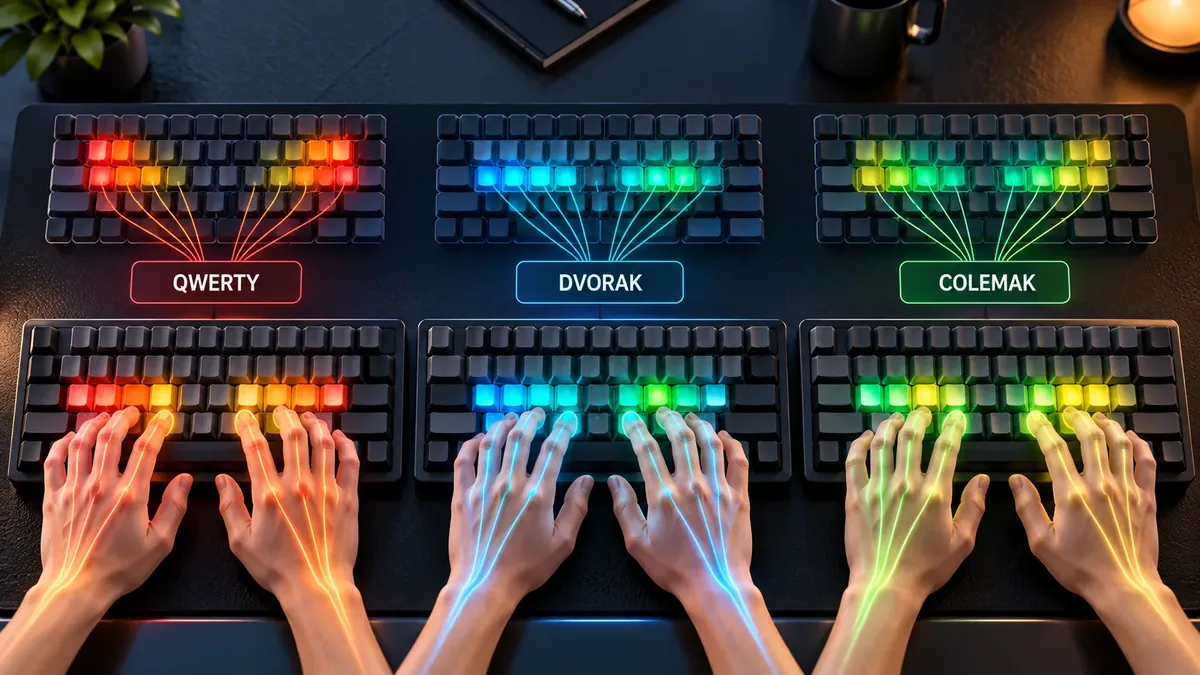
Every day, billions of people type on a layout designed in the 1870s for mechanical typewriters. The QWERTY layout was engineered primarily to prevent physical metal typebars from colliding and jamming—not for human hand anatomy or typing velocity.
In the modern era of low-friction mechanical switches and touch typing, two major alternatives—Dvorak Simplified Keyboard and Colemak—claim to solve QWERTY's biomechanical flaws. But how do they actually measure up against real keystroke data?
The QWERTY historical trap
Designed by Christopher Latham Sholes in 1873, QWERTY deliberately separated common English digraphs (such as “th” and “st”) to opposite sides of the typewriter basket so the mechanical arms wouldn't strike at the same moment.
The consequence for modern typists is severe:
- Only 32% of all keystrokes in English prose land on the home row (A-S-D-F J-K-L-;).
- Fingers are forced to hurdle up to the top row (52% of keystrokes) and drop down into the bottom row constantly.
- High-frequency keys are unevenly loaded onto the weaker left hand (57% left hand vs. 43% right hand).
Hard data: Finger travel & same-finger bigrams
Computer simulation and keystroke telemetry reveal massive ergonomic differences across the three layouts:
| Ergonomic Metric | QWERTY | Dvorak | Colemak | Why It Matters |
|---|---|---|---|---|
| Home Row Keystrokes (%) | 32% | 70% | 74% | Colemak keeps nearly three-quarters of all keystrokes directly on the resting home row. |
| Top Row Keystrokes (%) | 52% | 22% | 18% | QWERTY forces fingers to constantly hurdle upward toward the top row for vowels and consonants. |
| Same-Finger Bigram (SFB) Rate | 4.8% to 6.2% | 2.6% | 1.6% | SFBs force the same finger to hit two successive keys (e.g. 'ed' or 'un'). Colemak slashes this by ~70%. |
| Relative Finger Travel Distance | 100% (Baseline ~16 mi/day) | 62% (~10 mi/day) | 50% (~8 mi/day) | Colemak halves total physical finger travel distance compared to standard QWERTY typing. |
| Preserved Shortcut Keys (Ctrl+Z,X,C,V) | 100% (Native) | 0% (Scattered across keyboard) | 100% (Preserved in bottom-left) | Colemak preserves standard operating system shortcuts; Dvorak relocates them inconveniently. |
| Keys Changed from QWERTY | 0 (Baseline) | 31 keys moved | 17 keys moved | Colemak is drastically easier to learn because it alters only 17 character positions. |
Dvorak: Hand alternation & rhythmic typing
Patented in 1936 by Dr. August Dvorak and William Dealey, the Dvorak layout was the first serious attempt to apply scientific ergonomics to keyboard design.
Dvorak's Design Philosophy: Place all vowels on the left home row (A-O-E-U-I) and the most frequent consonants on the right home row (D-H-T-N-S). This creates a rhythmic, drum-roll sensation where typing alternates back and forth between left and right hands for almost every syllable.
The Drawbacks: Dvorak changes almost every key on the board (31 modifications). Crucially, essential operating system shortcuts like Ctrl+Z, Ctrl+X, Ctrl+C, and Ctrl+V are scattered across distant keys, frustrating developers and productivity workers.
Colemak: The modern ergonomic champion
Released in 2006 by Shai Coleman, Colemak was designed specifically for computer users who want maximum ergonomic efficiency with minimal transition friction.
Why Colemak Outperforms:
- Finger Rolls over Alternation: Instead of bouncing back and forth between hands like Dvorak, Colemak optimizes for inward rolling motions (like fingers casually tapping a desk: pinky to ring to middle to index). Rolls are naturally faster and require less conscious coordination.
- Untouched Shortcut Cluster: The bottom-left row keys (Z, X, C, V) remain in their exact QWERTY positions.
- Lowest Same-Finger Bigram Rate: With an SFB rate of only 1.6%, you almost never have to hit two consecutive keys with the same finger.
Does switching layouts actually make you faster?
If you check competitive leaderboards on typing tests, you will notice that the top 100 typists feature a mix of QWERTY, Colemak, and Dvorak typists.
Switching layouts will not magically double your typing speed from 50 to 100 WPM. Speed is fundamentally governed by motor chunking and eye-hand lookahead, not just key placement.
What an ergonomic layout does deliver is:
- Dramatically Reduced Strain: Halving finger travel prevents carpal fatigue and tendon aches during 8-hour coding or writing sessions.
- Effortless Endurance: Typing 80 WPM on Colemak feels physically relaxed, whereas 80 WPM on QWERTY feels like a frantic finger hurdle race.
- Fewer Finger Collisions: The near-elimination of same-finger bigrams makes typing fluid and uninterrupted.
How to switch without destroying your productivity
The most painful part of adopting Colemak or Dvorak is the “cold turkey” productivity drop. If your job requires writing emails or code, typing at 12 WPM for two weeks is unacceptable.
Follow this practical adoption protocol:
- The Dual-Setup Rule: Keep your work computer on QWERTY during business hours. Dedicate 20 to 30 minutes every evening to practicing Colemak on our touch typing lessons.
- Use the Tarmak Transition: If jumping directly to 17 new keys feels overwhelming, use the Tarmak layout steps, which introduce 3 to 4 key changes at a time over several weeks.
- The 40 WPM Milestone: Do not make Colemak your primary daily layout until you can comfortably hit 40 WPM with 96%+ accuracy. Once you reach 40 WPM, make the switch permanent.
FAQ
Will switching from QWERTY to Dvorak or Colemak make me faster?
Not necessarily in terms of top-end speed records. World-record typing speeds exceeding 150–200 WPM have been set on both QWERTY and alternative layouts. However, alternative layouts make high speeds feel far more effortless, reduce finger fatigue dramatically during multi-hour workdays, and eliminate awkward finger gymnastics.
Which layout is easier to learn: Dvorak or Colemak?
Colemak is universally considered much easier to learn. While Dvorak rearranges 31 keys and scatters essential shortcuts like Ctrl+Z, X, C, and V, Colemak moves only 17 keys and leaves the entire bottom-left shortcut cluster untouched.
How long does it take to learn Colemak or Dvorak?
Most typists reach 30–40 WPM within 2 to 4 weeks of dedicated 30-minute daily practice. Regaining your prior QWERTY baseline (e.g., 70–90 WPM) typically takes 6 to 10 weeks of full immersion.
Will learning Colemak ruin my ability to type on QWERTY keyboards?
In the first few weeks of transition, your brain will feel conflicted. However, once both layouts are deeply ingrained, many typists become fully bilingual—comfortably typing Colemak on their personal mechanical keyboard while typing QWERTY on laptops or shared workstations.
Sources & references
- CarpalX — Quantitative Keyboard Layout Ergonomic Model & Bigram Frequency Evaluation
- Colemak Official Community — Ergonomic Design Principles & Transition Studies
- Dvorak, August — Typewriting Behavior: Psychology Applied to Teaching and Learning Typewriting (American Book Company)
Last updated 2026-09-26.