
Punctuation Typing Practice
Master periods, commas, apostrophes, quotation marks, and question marks without pausing or breaking rhythm.
Flow principle
Punctuation marks should never feel like speed bumps. When typing a comma or period, the keystroke and the subsequent space should be executed as a single, fluid two-stroke compound movement: [mark] + [space].
Why Punctuation Shatters Typing Flow
It is a universal experience among developing typists: you are flying through a typing test at 65 WPM, enjoying effortless rhythm, until you hit a sentence with dialogue quotes, an apostrophe, and a question mark. Instantly, your speed drops to 35 WPM.
Why is punctuation so disruptive?
- Pinky Reliance: Most punctuation keys live on the extreme right perimeter of the keyboard, operated by your right pinky—the weakest finger on your hand.
- Dual-Hand Shift Synchronization: Punctuation marks like
?,", and!require holding a Shift key with one hand while striking the mark with the other. If the Shift key is depressed a fraction of a second too late, or released too early, an unshifted character appears instead (e.g. typing/instead of?).
Everyday Punctuation Finger Map
Review the precise finger assignments and biomechanical reach vectors for the six most common punctuation marks:
| Mark | Striking Finger | Reach Vector | Shift Requirement | Rhythm Tip |
|---|---|---|---|---|
| Comma (,) | Right Middle | Direct downward curl from K to bottom row | No | Tap cleanly and strike Spacebar immediately with right thumb. Never pause. |
| Period (.) | Right Ring | Direct downward curl from L to bottom row | No | Terminates sentences. Strike period, tap space, and prepare opposite Shift for next capital. |
| Apostrophe (') | Right Pinky | Reach one key to the right of the semicolon (;) | No | Critical for contractions (don't, can't, it's). Keep right index anchored on J. |
| Quotation Marks (") | Right Pinky + Left Pinky Shift | Hold Left Shift with left pinky; strike apostrophe key with right pinky | Yes (Left Shift) | Never use right Shift for quotes. Same-hand Shift causes severe hand twisting. |
| Question Mark (?) | Right Pinky + Left Pinky Shift | Hold Left Shift with left pinky; curl right pinky down-left to slash key | Yes (Left Shift) | Coordinate both hands: depress Left Shift 50ms before striking the slash key. |
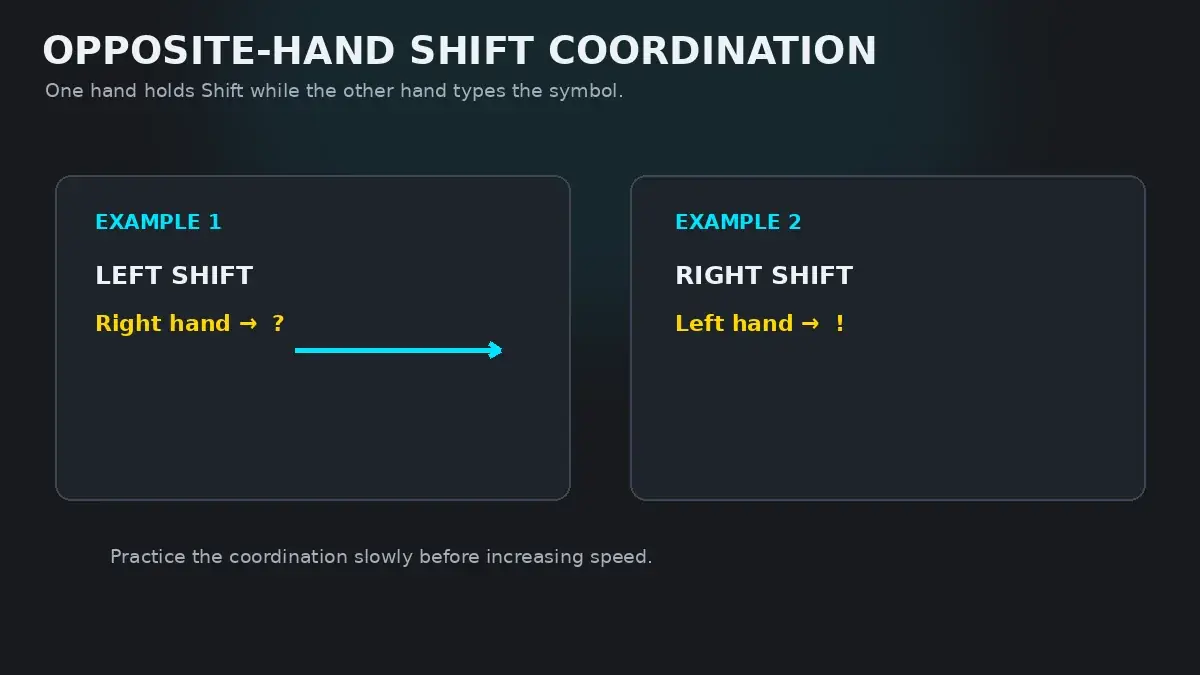
| Exclamation Point (!) | Left Pinky + Right Pinky Shift | Hold Right Shift with right pinky; reach left pinky up-left to 1 key | Yes (Right Shift) | Opposite-hand Shift: right hand holds Shift while left hand reaches for top row. |
The Opposite-Hand Shift Rule
If there is one technique that separates amateur typists from professionals, it is the Opposite-Hand Shift Rule:
Always depress the Shift key with the hand opposite to the finger that strikes the target key.
Consider typing a question mark (?). The question mark key sits on the bottom row, operated by your right pinky. If you try to hold the Right Shift key with your right ring finger while curling your right pinky to the slash key, your right hand undergoes severe contortion, tendon cramping, and near-certain misses.
Instead, use both hands:
- Your left pinky holds the Left Shift key down firmly.
- Your right pinky curls down to strike the slash/question mark key.
- Both pinkies release simultaneously.
This keeps your hands completely balanced, preserves your home-row anchors, and prevents carpal tunnel strain.
Contractions and Dialogue Drills
Practice these realistic sentence drills to turn punctuation into automatic muscle memory:
Drill 1: Commas, Periods & Spacing Compound
Red, green, and blue. Apples, oranges, and pears. Early to bed, early to rise.
Drill 2: Everyday English Contractions (Apostrophes)
don't can't won't isn't haven't it's they're we'll couldn't shouldn't
Drill 3: Dialogue Quotation Marks with Dual Shift
"Wait," she said. "Did you finish the report?" "Yes," he replied, "it's done."
Drill 4: Question Marks and Exclamations
Where is the station? What time does it leave? Look out! Is everyone ready?
Interactive HeroTyping Practice
To practice punctuation with live accuracy scoring and opposite-shift enforcement, proceed to Lesson 16: Full Keyboard Punctuation in the HeroTyping Curriculum, or practice live prose with punctuation enabled on the HeroTyping Speed Test by selecting the Punctuation mode toggle.
FAQ
Why does typing punctuation slow down my typing speed by 30%?
Because punctuation marks require dual-hand coordination (such as holding Shift with one hand while striking a key with the other) or non-alphabetic reaches controlled by the weaker pinky and ring fingers. Until these combinations are automated into single motor chunks, they interrupt the subconscious flow of typing letters.
What is the 'Opposite-Hand Shift Rule'?
Whenever you need to type a capital letter or shifted punctuation symbol, always hold the Shift key with the hand opposite to the striking hand. For example, since the question mark '?' is struck by your right pinky, you must hold the Left Shift key with your left pinky. Pressing Shift and striking a key with the same hand twists your wrist and leads to severe strain.
Why does the semicolon live on the home row instead of a letter?
On the original mechanical typewriter keyboard, punctuation and punctuation pauses were considered structural anchors. Although the semicolon is rarely typed in casual prose, having it on the right pinky home position provides an essential anchor point for reaches to the right (apostrophe, Enter, and right Shift).
Should I type one space or two spaces after a period?
Always type one space after a period in modern typing. The two-space rule was developed for mechanical typewriters with monospaced fonts to make sentence breaks visually distinct. In modern proportional digital typography, two spaces create unsightly gaps and violate standard publishing conventions.
Sources & references
- Bimanual Coordination and Asymmetric Hand Load in High-Speed Keystrokes — Swinnen, S. P., & Wenderoth, N. (Nature Reviews Neuroscience, 2004)
- The Typography of Punctuation: Historical and Cognitive Perspectives — Bringhurst, R. (The Elements of Typographic Style, Hartley & Marks, 2004)
- Keystroke Timing Analysis of Shift-Key Synchronization in Skilled Typists — Inhoff, A. W., & Gordon, A. M. (Journal of Experimental Psychology, 1997)